

When a Windows computer refuses to start properly, many users begin searching for tools that can repair the boot process without reinstalling the entire operating system. One popular utility that often appears in these discussions is EasyBCD. The software is widely known for helping users manage boot settings, especially in systems with multiple operating systems installed. But an important question remains: can EasyBCD actually repair Windows boot problems?
The short answer is yes, EasyBCD can help repair certain Windows boot issues. However, its effectiveness depends on the type of boot problem you are facing. Understanding how the software works and what it can realistically fix is essential before using it on your system.
Understanding Windows Boot Problems
Before discussing EasyBCD in detail, it helps to understand how Windows boot issues happen in the first place. The Windows boot process involves several important files and settings that allow the operating system to load correctly. If one of these files becomes corrupted, deleted, or misconfigured, the system may fail to boot.
Common causes of Windows boot errors include failed Windows updates, sudden power loss, corrupted hard drives, malware infections, incorrect partition changes, or problems caused by installing another operating system. In some cases, users may see errors such as “BOOTMGR is missing,” “BCD missing,” or systems stuck in a boot loop.
These issues can appear frightening, especially for users who are not familiar with advanced system recovery tools. This is where EasyBCD becomes useful for many people.
What Is EasyBCD?
EasyBCD is a Windows utility developed by NeoSmart Technologies. The software allows users to manage and repair the Windows Boot Configuration Data, commonly known as BCD.
The BCD is a database used by Windows to store boot-related information. It tells the computer where Windows is installed and how the operating system should start. If this configuration becomes damaged or incorrectly configured, Windows may fail to load properly.
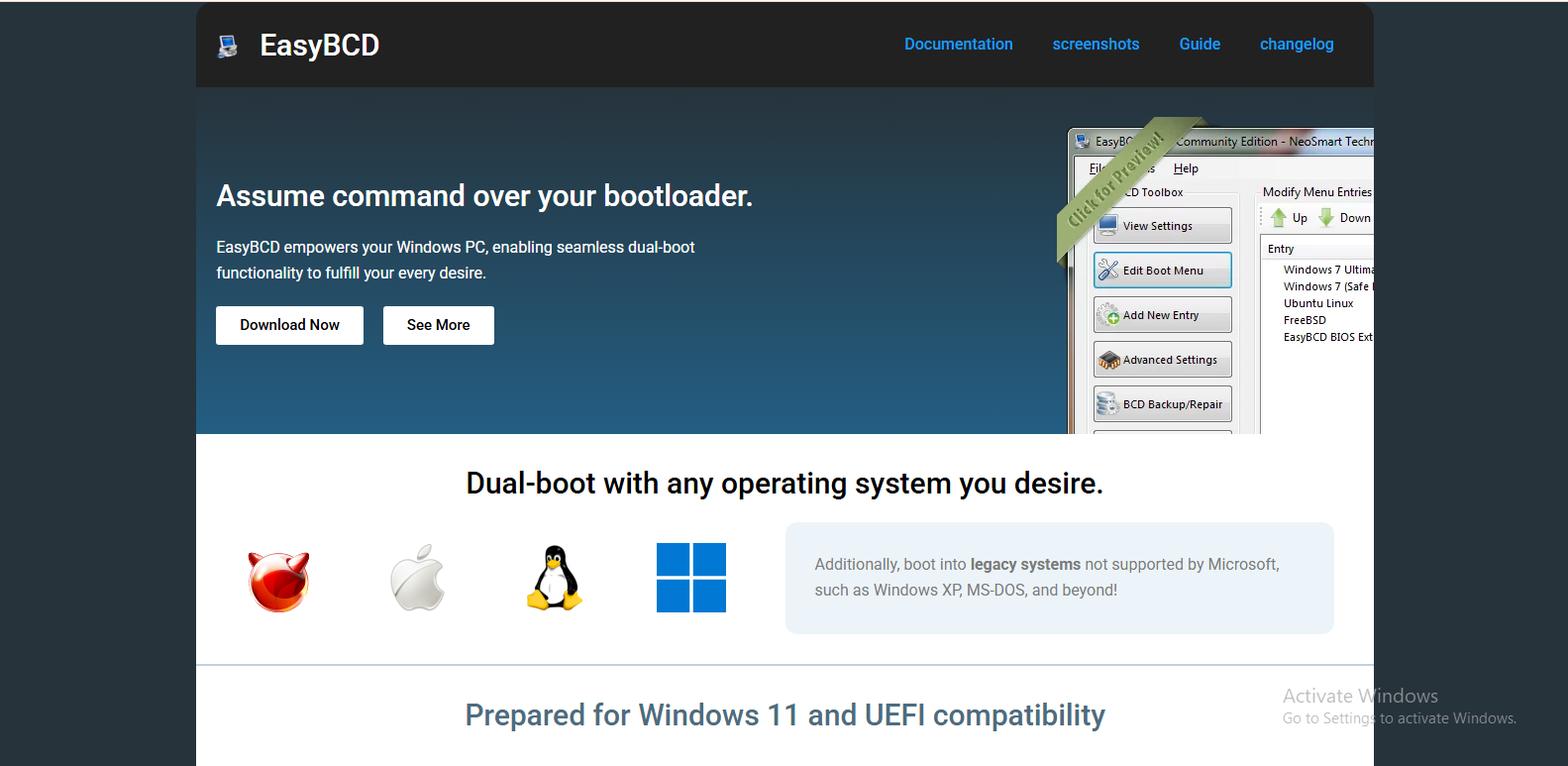
EasyBCD provides a graphical interface that simplifies tasks normally performed through complex command-line tools like Command Prompt. Instead of typing advanced recovery commands manually, users can use menus and buttons to manage boot entries and repair startup settings.
How EasyBCD Helps Repair Windows Boot
One of the main reasons people use EasyBCD is its ability to rebuild or repair the BCD configuration. If Windows cannot locate the correct boot files, EasyBCD can often recreate the boot environment and restore normal startup functionality.
The software includes several repair-related features. Users can recreate missing boot files, repair corrupted BCD entries, restore bootloader settings, and configure startup options for Windows installations. In many situations, these functions are enough to solve common startup errors.
For example, if the system displays a missing BCD error after a failed update or partition modification, EasyBCD may successfully rebuild the boot configuration and allow Windows to start again. Similarly, if the boot menu has disappeared after installing another operating system, the software can restore it.
Another helpful feature is the ability to repair the Master Boot Record or MBR in older BIOS-based systems. This can help systems that fail to boot because of damaged boot sectors.
EasyBCD and Dual-Boot Systems
EasyBCD is especially popular among users who run multiple operating systems on one computer. Dual-boot systems often experience bootloader conflicts after installing Linux or another version of Windows.
In these situations, EasyBCD can restore the Windows bootloader and help organize multiple operating systems within a single boot menu. Users can add, remove, rename, or reorder operating systems directly from the software interface.
For many advanced users, this flexibility is one of the strongest advantages of EasyBCD. Instead of relying on complicated terminal commands, they can manage boot settings visually and more safely.
Situations Where EasyBCD Works Well
EasyBCD is most effective when the Windows installation itself is still intact but the boot configuration has become corrupted or misconfigured. This includes situations where boot entries are missing, startup settings are incorrect, or bootloaders have been overwritten.
The software is also useful when the system still recognizes the hard drive and Windows files but fails during the startup sequence. In many of these cases, EasyBCD can repair the necessary boot information without affecting personal files or installed applications.
Another advantage is that EasyBCD allows users to create bootable entries for recovery environments. This can make system troubleshooting easier in the future.
Limitations of EasyBCD
Although EasyBCD is powerful, it is not a miracle solution for every boot-related problem. Some issues go beyond boot configuration corruption and involve deeper hardware or system failures.
For example, if the hard drive itself is physically damaged, EasyBCD cannot repair the hardware. Likewise, if critical Windows system files are heavily corrupted, the software may not be enough to restore the operating system completely.
Users should also understand that EasyBCD is not a replacement for full Windows recovery tools. In severe cases, startup repair, system restore, or complete Windows reinstallation may still be necessary.
Another limitation is that incorrect use of EasyBCD can potentially create additional boot problems. Modifying boot settings without understanding the changes may cause systems to become temporarily unbootable. Because of this, users should proceed carefully and back up important data whenever possible.
Is EasyBCD Safe to Use?
Generally, EasyBCD is considered safe when downloaded from official sources and used correctly. The software has been available for many years and is trusted by many Windows users, IT technicians, and system administrators.
Its graphical interface actually reduces some of the risks associated with manual boot repair commands. Instead of typing advanced recovery commands incorrectly, users can perform repairs through a more user-friendly environment.
However, users should still be cautious when editing boot entries or changing partition settings. Even reliable software can cause problems if used improperly.
Alternatives to EasyBCD
While EasyBCD is popular, it is not the only option available for repairing Windows boot issues. Windows itself includes built-in recovery tools such as Startup Repair, System Restore, and the Bootrec command-line utility.
Some users prefer using Windows installation media to access recovery tools directly from the operating system installer. Others use third-party recovery environments designed specifically for advanced troubleshooting.
Still, EasyBCD remains attractive because of its simplicity and ease of use. Many users appreciate being able to manage complex boot settings without memorizing technical commands.
Final Thoughts
EasyBCD can indeed repair many common Windows boot problems, particularly those related to corrupted or missing boot configuration data. Its user-friendly design makes advanced boot management more accessible to everyday users, while still offering enough flexibility for experienced technicians.
The software is especially effective for repairing BCD errors, restoring bootloaders, and managing dual-boot systems. However, it is important to remember that EasyBCD cannot fix every possible startup problem. Hardware failures, severe operating system corruption, and damaged drives may require more advanced recovery methods.
For users dealing with boot configuration issues, EasyBCD can be a practical and efficient solution. When used carefully, it often saves time and avoids the need for complete Windows reinstallation.
